Pi Edge brings the Pi coding agent into Obsidian on my phone and desktop. I can read a project note, attach it to a conversation, and work with Pi running on my computer without leaving my notes.
Install Pi Edge · View source · User guide
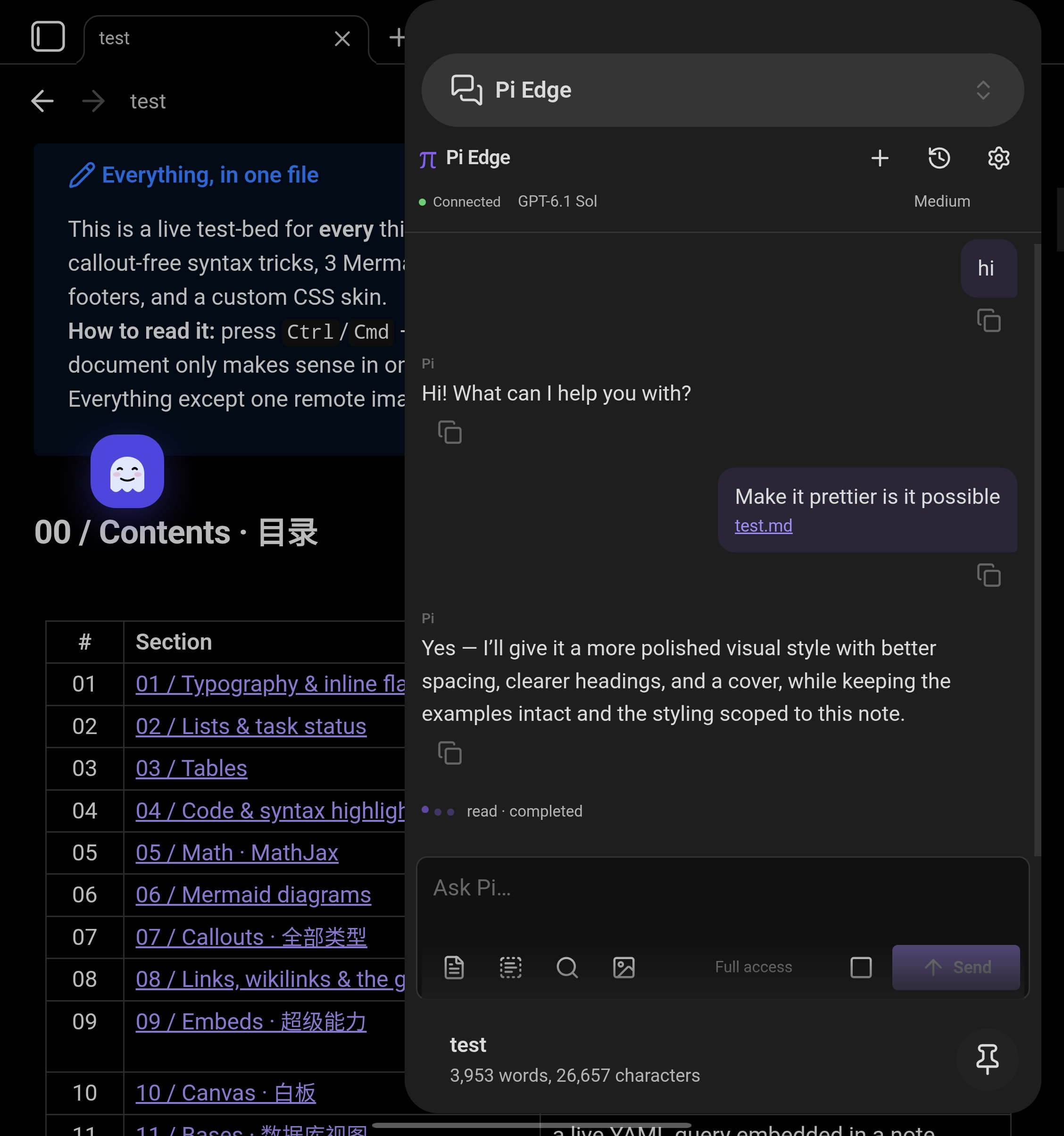
Why I built it
My project context lives in Obsidian: ideas, plans, decisions, and working notes. My development tools run on my computer. On a phone, moving a note into a terminal prompt and finding the result again adds friction.
Pi Edge puts the conversation beside the note. I can attach the current note, selected text, another Markdown file, or an image. Attached notes remain clickable in messages and history, so I can return to the source later.
A phone client, a computer bridge
The plugin connects to a small bridge on my computer over WebSocket. The bridge launches Pi in a chosen working directory, and Pi uses the model provider configured on that computer. Obsidian on the computer does not need to be open.
The phone and computer can share a local network. In my own workflow, I use Tailscale to reach the bridge when I am elsewhere. Pi Edge has no hosted relay or bundled model account; prompts and attachments travel through the computer to the configured model provider.
Pair once on each device
The computer needs Node.js 22 or newer and an installed, authenticated Pi CLI. Start the bridge with the vault directory:
npx --yes https://github.com/Anderbone/pi-obsidian-edge/releases/latest/download/pi-edge-bridge.tgz --cwd "/path/to/your/vault"The bridge prints a private pairing code and a QR code. In Obsidian 1.7.2 or newer, install and enable Pi Edge, run Pi Edge: Pair computer, then Pi Edge: Open chat. Each device pairs separately. The computer must stay awake and reachable.
Built for returning to the work
I can switch between models configured in Pi, choose reasoning effort where supported, and reopen saved conversations. Local history defaults to 500 conversations or 50 MB, with both limits adjustable in settings.
The composer offers Read only, Read & write, and Full access. Full access is the default and includes shell commands. The bridge can impose a tool ceiling; these tool choices are not filesystem sandboxes.
A brief connection drop can reconnect to the retained Pi process. After the retention window, the bridge can reopen the saved session. This does not guarantee that an interrupted action completed, so I check the result before repeating it.
Part of my everyday workspace
I use Terminal Spike to reach Herdr and my remote terminals, code-server to inspect code in a browser, and Obsidian with Pi Edge for work that starts from a note. Links connect these views; Tailscale makes the computer reachable from my other devices.
Read my full workflow for how I move between them.