A / SEND
Show your agent
what you mean.
Send images and files to your host. Insert their paths for your agent to use.
FREE & OPEN SOURCE · NATIVE ANDROID
Free, open-source SSH and Mosh for Android. Your shell, your agents, your workflow — on your phone.
No app account. No ads. No subscription.
Lightweight native app / Android 8.0+
01 / SSH · MOSH · TMUX · HERDR
Keep your shell, tmux, Herdr and agents. Customise your remote workspace; Terminal Spike brings it to your phone with native touch controls.
Set up Herdr for your phone ↗
02 / CONTEXT → CHANGES → EDITOR
A / SEND
Send images and files to your host. Insert their paths for your agent to use.
B / REVIEW
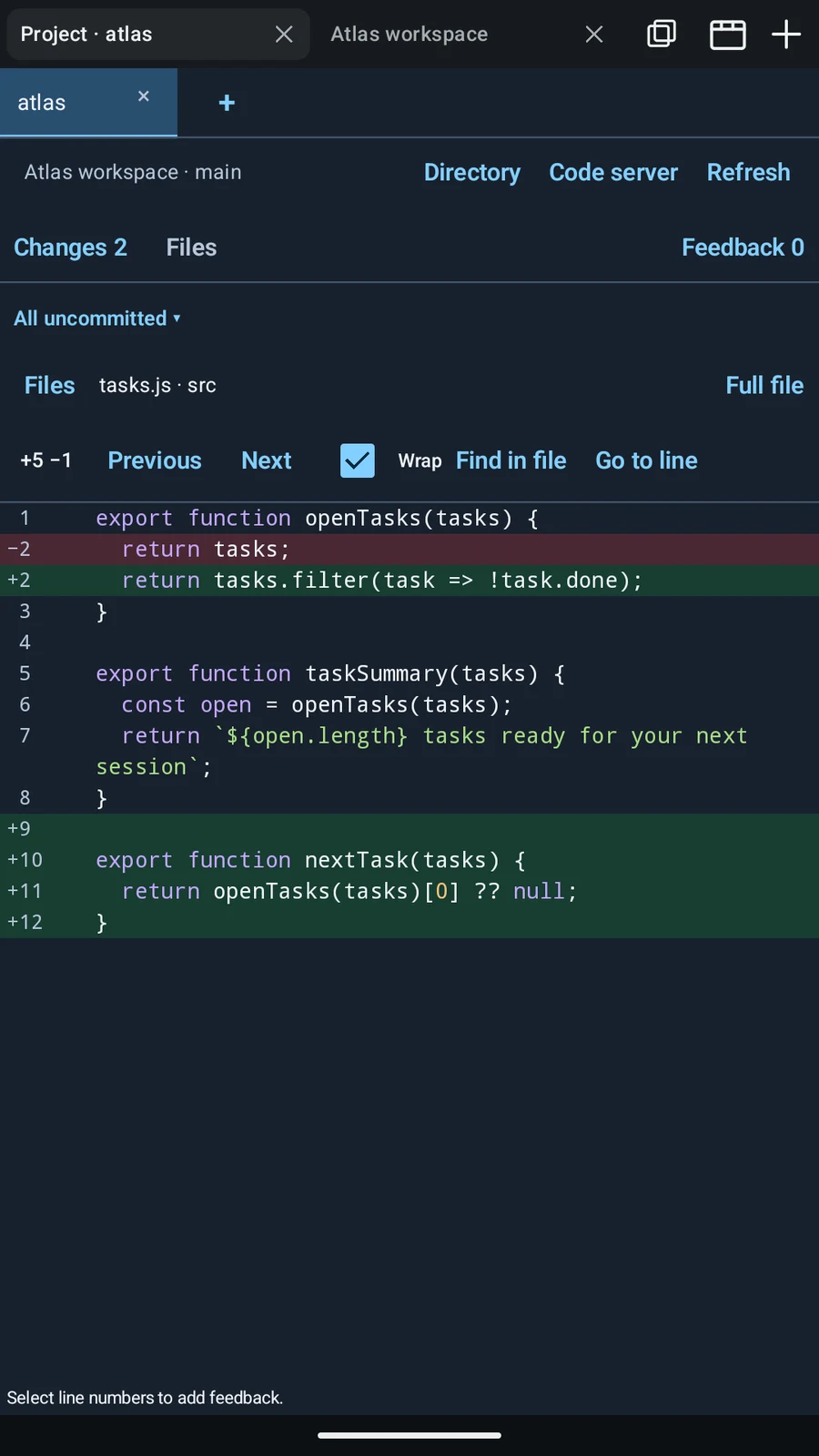
Read Git changes in the native Android diff viewer. No editor setup needed.
C / CONTINUE
Open your own code-server in a tab. Edit, then return to the terminal.
03 / OPTIONAL · ON YOUR PHONE
Install optional Arch Linux. Run shell tools and compatible agent CLIs locally. No Android root needed.
ARM64 devices. Additional download and storage required.
Linux downloads separately. Third-party AI services may charge their own fees.
Install Local Arch ↗04 / OPTIONAL · LOCAL AGENT
Make the app fit you: shortcuts, connection profiles, colours, fonts and input settings. Change them yourself, or ask a local agent.
“Add a git status shortcut. Make the text larger.”
After installing Local Arch, enable local settings access. Then chat with a compatible agent to change supported app settings.
Supported settings & setup ↗
Tailscale · Mosh · tmux · Herdr
We don’t reinvent them. Use Tailscale to reach your computer, Mosh for changing networks, and tmux or Herdr to keep sessions running.
Choose your tools. Keep your host online. Stay in control.
Tailscale ↗
FREE. OPEN. YOURS.
Google Play · 0.0.14 · Android 8.0+